Turn a Telegram chat export into a PDF
Telegram exports chats only from Telegram Desktop, as HTML or "Machine-readable JSON". Export the chat in JSON, then choose result.json (or a zip of the export folder, to include photos) below: Polyhawk, a free chat-to-PDF tool, makes a PDF with every message, sender, date and time, calls and service messages, photos inline and "Page X of Y" on each page.
Turn a Telegram chat export into a PDF
Get the file: in WhatsApp, open the chat. iPhone: tap the contact or group name, then Export chat. Android: tap ⋮ › More › Export chat. Choose with or without media and save it (on iPhone, Save to Files). Then choose the .zip or .txt here.
Get the file: on Android, the free SMS Backup & Restore app saves your texts as an .xml file (its name starts with sms-). Choose that file here. Big backups with photos are fine: the file is read in small pieces, on your device.
Get the file: in Instagram or Facebook, go to Accounts Center › Your information and permissions › Export your information › Create export › Export to device. Pick Messages and set Format to JSON. When Meta's email arrives, download the zip and choose it here (if there are several zips, choose them all).
Get the file: in Telegram Desktop (on a computer), open the chat, click ⋮ › Export chat history, and set Format to Machine-readable JSON. Choose result.json here, or a zip of the export folder to include photos.
No export on iPhone? Take screenshots of the conversation (side button + volume up), then choose them here. Each one goes on a page in order, with its file name, date and SHA-256 fingerprint. Text in the screenshots is not read or retyped.
What page 1 will say
Preview of the messages
Pro is coming soon · $9.99 per export or $24.99 lifetime
- The clean PDF, with no “Preview” watermark on its pages
- A one-time price, no subscription
- Every source: WhatsApp, Android texts, Instagram, Messenger, Telegram, screenshots
Everything above is free while we launch. Leave your email and we'll write once, when Pro is ready.
Runs in your browser. Nothing is uploaded. No sign-up.
How do you export a Telegram chat?
Telegram’s chat export is a Telegram Desktop feature. Telegram announced it in its 2018 blog post, and its staff confirm on the bug tracker that “you can export chats only from Telegram Desktop app” (the phone apps don’t have it). On a computer:
- Install Telegram Desktop and sign in to your own account.
- Open the chat, open its ⋮ menu, and choose Export chat history.
- Tick the media you want: photos, videos, voice messages, video messages, stickers, GIFs, files. Check the size limit slider; files above it are left out.
- Set Format to Machine-readable JSON.
- Choose where to save it and click Export.
Telegram Desktop writes a folder with result.json and subfolders such as photos. To bring the photos along, zip the folder (right-click › Compress on a Mac, Send to › Compressed folder on Windows) and choose the zip in the tool above; or select result.json together with the photo files.
To export everything, use Settings › Advanced › Export Telegram data (Telegram). That result.json holds a list of all your chats, and the tool lets you pick one.
What is inside Telegram’s result.json?
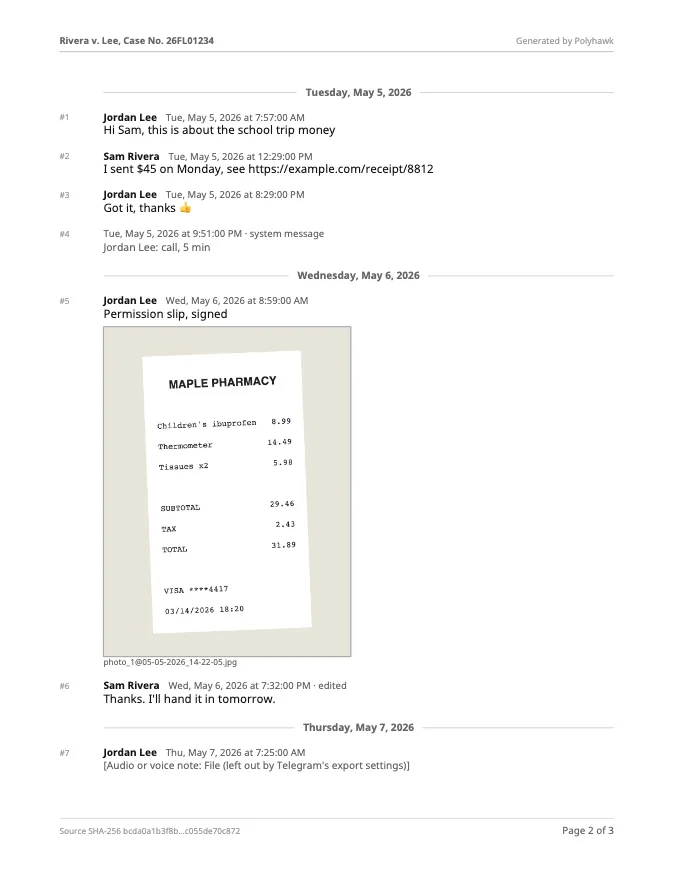
Telegram documents the format on its import/export page. A single-chat export is one chat with a name, a type (such as personal_chat or private_group) and a messages list. Each message has an id, a type (“message” or “service”), a readable date plus an exact date_unixtime, from, and text, which is a plain string, or an array of pieces when the message has formatting: “String if there are no entities. Otherwise, array”. Photos and files are paths relative to the export folder, such as photos/photo_1@05-05-2026_14-22-05.jpg, or a note such as “(File not included. Change data exporting settings to download.)” when they were left out. Service messages (calls, members added, pinned messages) carry an actor and an action.
Polyhawk reads all of that. It joins formatted text back into plain sentences, shows calls with their length or as missed, quotes the message a reply answers, lists forwards, polls, contacts, locations and reactions under their message, and marks edited messages. Times come from date_unixtime, shown in the time zone you choose.
How long does it take?
Our fictional Telegram export (10 messages, one photo, a call and a missed call, zipped with its photo) became a 3-page PDF in 0.2 seconds in Safari’s engine (Playwright WebKit 27.2) and 0.1 seconds in Chrome’s engine (Chromium 159) on a MacBook Air (Apple M4, 16 GB). We haven’t timed a large Telegram export yet. The pages are laid out by the same code as for WhatsApp, where a 50,000-message chat took 3.0 seconds.
What does Telegram leave out of an export?
Check the preview before relying on the PDF:
- Media you didn’t tick, or over the size limit. Telegram Desktop’s default, in its current source code (version 7.4.4, November 13, 2026), is photos only with an 8 MB limit. Everything else appears as a note, and the PDF lists it by name.
- Messages you deleted before exporting aren’t in the file.
- Very large full exports may be held back for a while: Telegram Desktop says “For security reasons, you will be able to begin downloading your data in” a number of hours.
Is a Telegram PDF enough for court?
That depends on the court. A complete export, a PDF made from it without changes, and your own account kept as it is give a judge the most to go on, and page 1 of the PDF records the export file’s SHA-256 fingerprint so anyone can check the PDF came from that file. How to present text messages in family court covers copies and authentication. For other apps, see WhatsApp to PDF and Instagram and Messenger to PDF.
Questions people ask
Can I export a Telegram chat on iPhone or Android?
No. Telegram's staff answered on its bug tracker that "you can export chats only from Telegram Desktop app". Install Telegram Desktop on a Windows, Mac or Linux computer, sign in, and export from there.
Should I export Telegram chats as HTML or JSON?
For this tool, JSON ("Machine-readable JSON" in Telegram Desktop). HTML is made to read in a browser. If you choose an HTML export here, the tool says so and asks for the JSON one.
Why are photos missing from my Telegram export?
Telegram Desktop includes only the media types you tick, up to a size limit, and its default is photos only, up to 8 MB. Anything left out is written in the export as "(File not included. Change data exporting settings to download.)", and the PDF lists it by name. Export again with the media you need.
Can I export all my Telegram chats at once?
Yes: Settings › Advanced › Export Telegram data. Its result.json holds every chat; choose it here and the tool lists the chats so you can turn one into a PDF. Telegram may make you wait before a full export can start ("For security reasons, you will be able to begin downloading your data in…").
Which time zone are the times in?
Telegram's JSON gives each message an exact moment (date_unixtime). Polyhawk shows it in your device's time zone unless you choose another, and page 1 names the zone.
Can I export someone else's Telegram chats?
No. You export from your own account, signed in on your own computer, and the tool reads only that file. Use your own account and your own conversations.
Polyhawk is not a law firm and does not give legal advice. Whether a court accepts a document is up to the court and its rules; ask a lawyer or your court's self-help center.
Related
- WhatsApp to PDFTurn a WhatsApp export (.zip or .txt, iPhone or Android) into a PDF with every message, date and time, photos inline and page numbers. Nothing uploaded.
- Instagram and Messenger to PDFDownload your messages from Meta in JSON, then turn one Instagram or Messenger conversation into a dated PDF with photos. Free, nothing uploaded.
- Texts in family courtPrint the whole conversation with numbers, dates and times, bring the copies your court asks for, and be ready to say it's accurate. With official sources.
- All Polyhawk toolsTurn your texts and chats into a clean PDF for court