Turn your texts and chats into a court-ready PDF
WhatsApp, Android texts, Instagram, Messenger, Telegram. Every message with names, dates and page numbers. Runs in your browser; nothing is uploaded.
Get the file: in WhatsApp, open the chat. iPhone: tap the contact or group name, then Export chat. Android: tap ⋮ › More › Export chat. Choose with or without media and save it (on iPhone, Save to Files). Then choose the .zip or .txt here.
Get the file: on Android, the free SMS Backup & Restore app saves your texts as an .xml file (its name starts with sms-). Choose that file here. Big backups with photos are fine: the file is read in small pieces, on your device.
Get the file: in Instagram or Facebook, go to Accounts Center › Your information and permissions › Export your information › Create export › Export to device. Pick Messages and set Format to JSON. When Meta's email arrives, download the zip and choose it here (if there are several zips, choose them all).
Get the file: in Telegram Desktop (on a computer), open the chat, click ⋮ › Export chat history, and set Format to Machine-readable JSON. Choose result.json here, or a zip of the export folder to include photos.
No export on iPhone? Take screenshots of the conversation (side button + volume up), then choose them here. Each one goes on a page in order, with its file name, date and SHA-256 fingerprint. Text in the screenshots is not read or retyped.
What page 1 will say
Preview of the messages
Pro is coming soon · $9.99 per export or $24.99 lifetime
- The clean PDF, with no “Preview” watermark on its pages
- A one-time price, no subscription
- Every source: WhatsApp, Android texts, Instagram, Messenger, Telegram, screenshots
Everything above is free while we launch. Leave your email and we'll write once, when Pro is ready.
Runs in your browser. Nothing is uploaded. No sign-up.
- Android texts
- Messenger
- Telegram
- Screenshots
Example
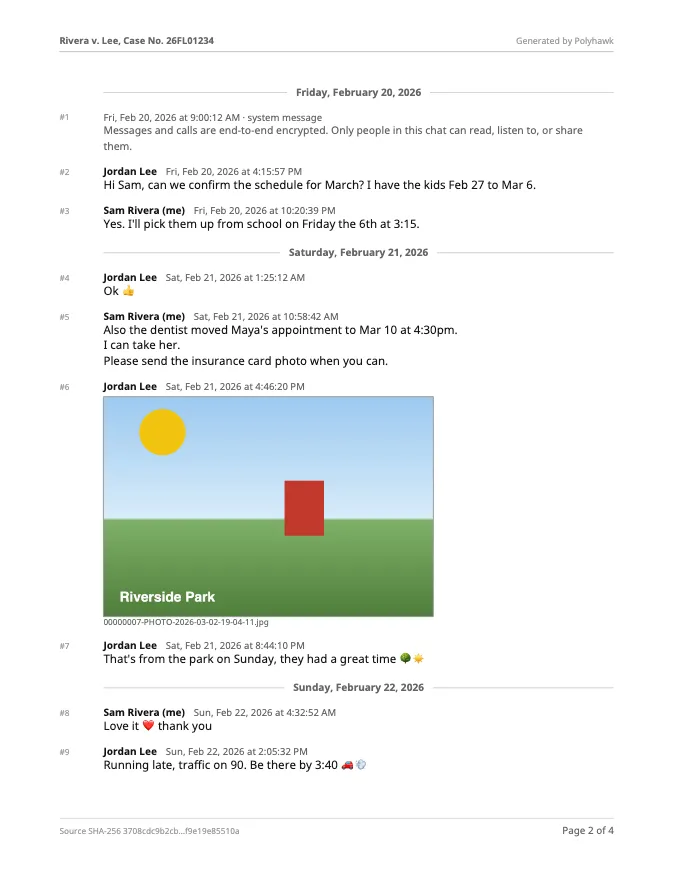
Page 2 of a PDF made with the tool on this page from a made-up WhatsApp chat (fictional names). Page 1 is a summary with the export file's SHA-256 fingerprint.
How it works
-
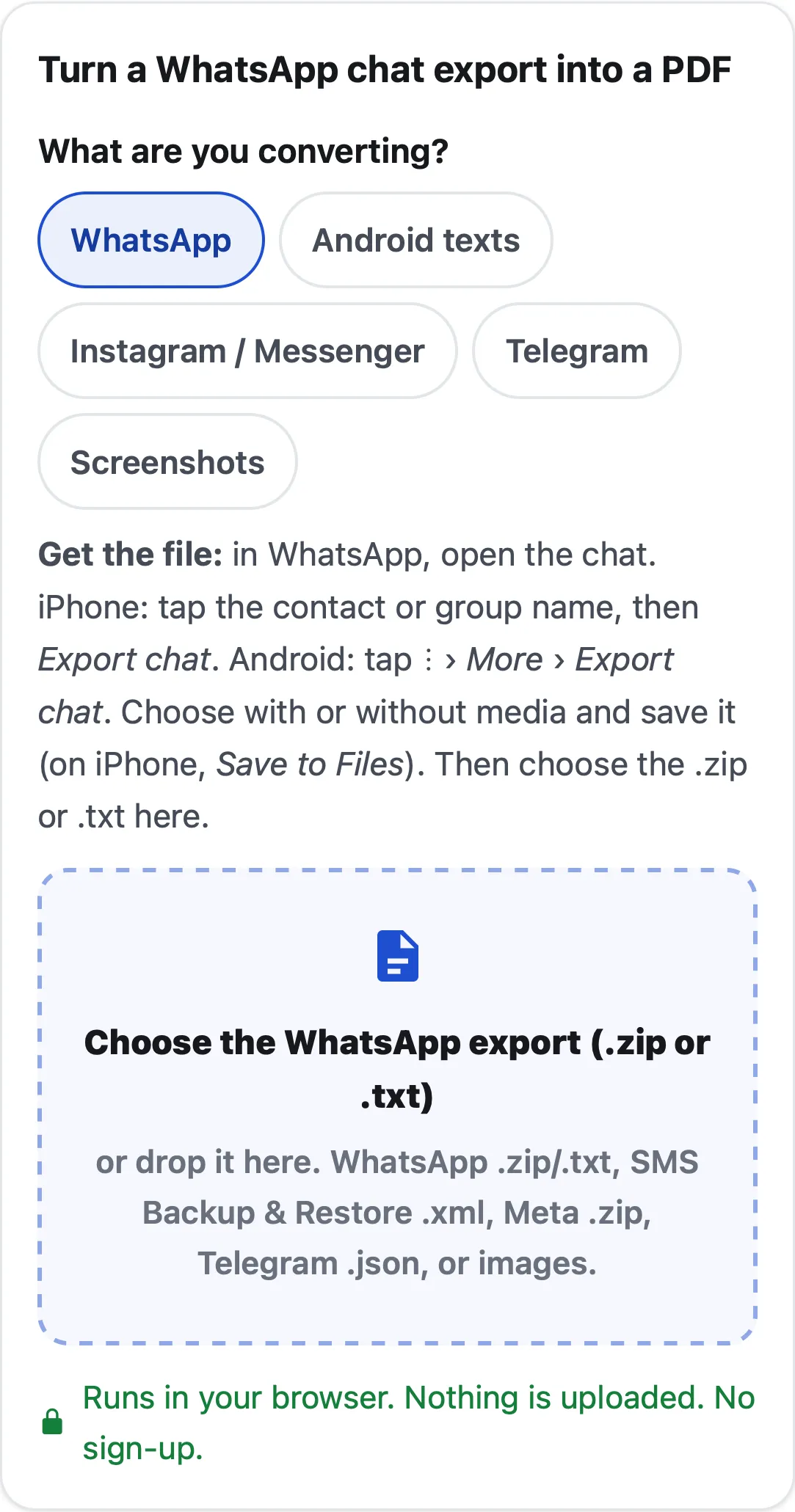 Export the chat Use the app's own export (WhatsApp's Export chat, SMS Backup & Restore, Meta's Export your information, Telegram Desktop), or take screenshots. Then choose your app here.
-
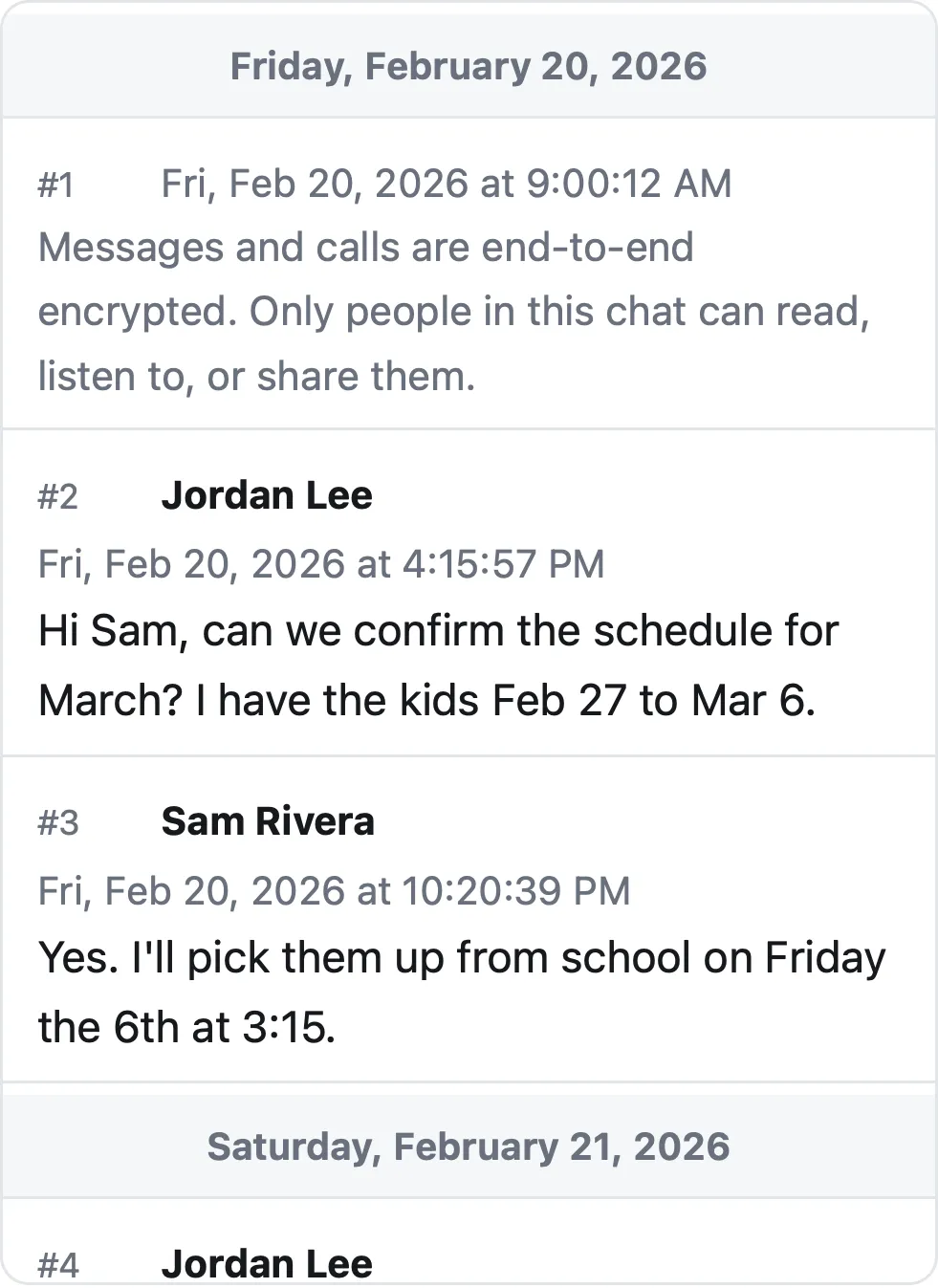 Check the preview Choose the file. See every message's sender, date and time, add a case title, pick a date range or hide phone numbers.
-
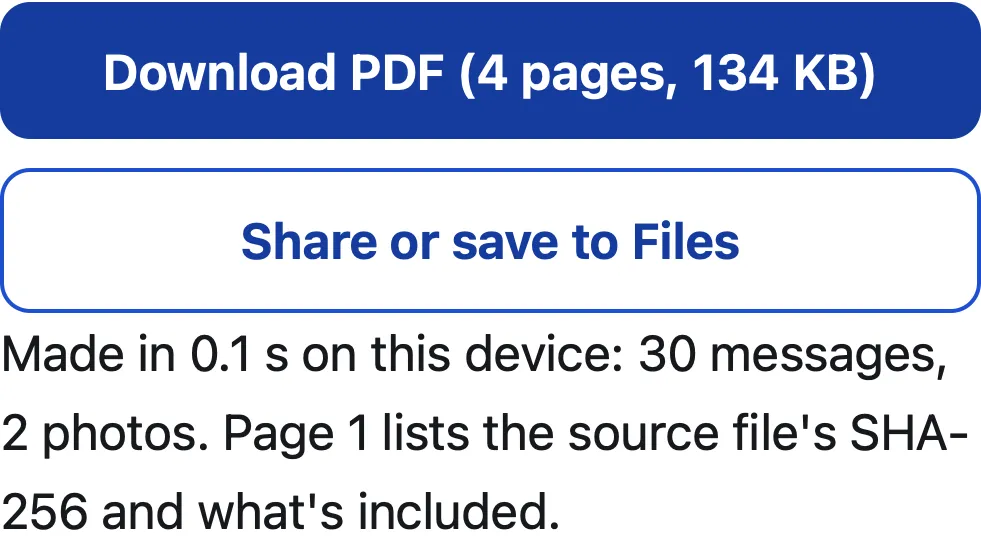 Download the PDF A summary page, then every message in order, with “Page X of Y” on each page. Save it, share it or print it.
What people use it for
- WhatsApp chat to PDFiPhone or Android export, with photos inline.
- Android texts to PDFSMS and MMS from an SMS Backup & Restore file.
- Instagram and Messenger to PDFFrom Meta's Export your information download, in JSON.
- Telegram chat to PDFFrom Telegram Desktop's JSON export.
- iPhone texts for courtScreenshots into one dated PDF, or a Mac.
- For family courtCopies, exhibits and how texts are authenticated.
- For small claims courtTexts about a deposit, a repair or a loan, ready to hand the judge.
- For a lawyer or an insurerKeep the export and record its fingerprint.
Why you can trust it
Price
Free · today
- Every message with sender, date and time
- Summary page with the source file's SHA-256
- Photos inline, case title and Page X of Y on every page
- No watermark, no sign-up, nothing uploaded
Pro coming soon
$9.99 per export or $24.99 lifetime
- The clean PDF, with no “Preview” watermark on its pages
- A one-time price, no subscription
- Every source: WhatsApp, Android texts, Instagram, Messenger, Telegram, screenshots
Tell me when Pro is ready
Everything above is free while we launch. Leave your email and we'll write once, when Pro is ready.
Questions people ask
Is Polyhawk free?
Yes, while we launch: the full PDF, no watermark, no sign-up, as many chats as you like. A paid Pro plan comes later; see pricing.
Are my messages uploaded anywhere?
No. Your browser reads the file and builds the PDF on your device; the file, the messages and the PDF never reach our server. See the privacy policy.
Will a court accept this PDF?
That is up to the court and its rules, and no tool can promise it. The PDF shows every message as it is in the export, with its date and time, and lists the export file's SHA-256 so anyone can check it came from that file. How to present text messages in family court explains what courts usually ask for.
Can it read iMessages from my iPhone?
No website or app can read the iPhone's Messages history, and Apple offers no export. On iPhone, take screenshots and turn them into one dated PDF here, or print from a Mac. How to print text messages from iPhone for court compares the options.
Which apps does it work with?
WhatsApp (iPhone and Android exports, with or without media), Android texts saved by SMS Backup & Restore, Instagram and Facebook Messenger (Meta's download in JSON), Telegram Desktop (JSON), and screenshots of any app.
What does the PDF include?
A summary page (participants, message count, date range, time zone, the export file's name and SHA-256), then every message numbered, with sender, date and time, photos inline, your case title at the top and Page X of Y at the bottom of each page.
How big a chat can it handle?
Large ones. On a MacBook Air (Apple M4), a 50,000-message WhatsApp chat became a 2,824-page PDF in 3.0 seconds in both Safari's engine (WebKit 27.2) and Chrome's (Chromium 159), and a 151 MB SMS backup listed its 120 conversations in 0.3 seconds. Phones are slower than that laptop.
Does it work on an iPhone without a computer?
Yes. It runs in Safari: choose the export from the Files app (or screenshots from Photos), make the PDF, then save it to Files, share it, or print it with AirPrint.
Can I hide phone numbers or choose dates?
Yes. You can hide all but the last 4 or 2 digits of every phone number, limit the PDF to a date range, and mark which participant is you. Page 1 says which options you used.
Can I use it on someone else's messages?
Use your own phone and your own conversations. The tool only reads export files you made; getting into another person's phone or account without permission can be against the law.
Guides
- iPhone texts for courtThe iPhone's Messages app can't print or export a conversation. The three ways that work, checked on Apple's iOS 27 guides, and what courts look for.
- iPhone texts without a computerScreenshots are the only way Apple supports on the phone. Turn them into one numbered, dated PDF in Safari, then print with AirPrint or share it.
- Save a WhatsApp chat for legal useExport the chat with media from your own phone, keep the original .zip unchanged, and make a dated PDF that records the file's SHA-256 fingerprint.
- Open an SMS Backup & Restore fileAn sms-….xml backup is unreadable in a text editor. How to open it in SyncTech's viewers or as a conversation and PDF here, including very large backups.
- Samsung texts for courtGalaxy texting apps can't print a conversation. Back it up and turn it into a dated PDF, or use Scroll capture; checked on Samsung's and Google's pages.
- Texts in family courtPrint the whole conversation with numbers, dates and times, bring the copies your court asks for, and be ready to say it's accurate. With official sources.
Polyhawk is not a law firm and does not give legal advice. Whether a court accepts a document is up to the court and its rules; ask a lawyer or your court's self-help center.